 ✍ Blog
Lessons from AI for giving feedback
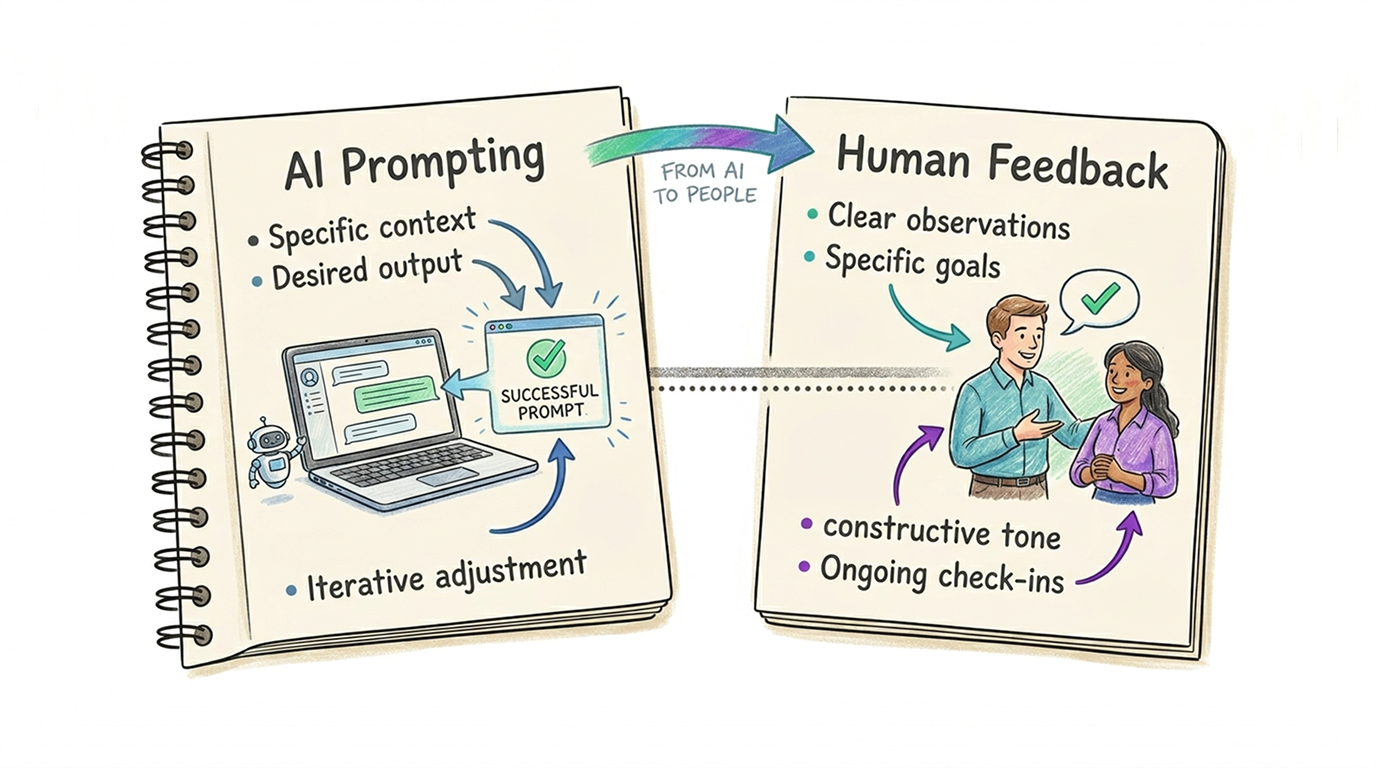
If you've spent any time trying to get Claude to write a decent email or ChatGPT to analyze a complex spreadsheet, you've likely realized that AI isn't a mind reader. It's a reflection of the clarity of your instructions.
When we work with AI, we intuitively adopt a "debugging" mindset: if the output is bad, we assume our prompt was unclear. But when we give feedback to humans, we often assume the person is the problem. By applying "Pro-User" AI habits to human management, you can strip away the ambiguity that leads to frustration.
Here are five lessons from the world of power-user prompting, translated for human-to-human feedback.
1. Clarify the Goal
Power users know that telling an AI to "write a report" is useless. It's better to tell it: "You are a skeptical CFO reviewing a high-risk project." This sets the tone, the lens, and the priorities immediately. Taking a context engineering approach, you'd give AI enough information about the situation, the problem, competing priorities to balance and the role you want it to play.
- The AI Lesson: Without a clear goal or role, the AI defaults to a generic, often unhelpful persona and goal. Power AI users are applying "Ask Me First": Tell the AI tool to "ask clarifying questions" before it starts acting.
- Applying it to Humans: Before giving feedback, clearly define the desired outcome and perspective you want them to take.
Actionable Tip: Instead of "Fix this deck," try: "I want you to look at this from the perspective of a first-time customer who has no idea what our jargon means. What is confusing to them?"
2. Provide the "Golden Sample" (Few-Shotting)
In the AI world, "Few-Shot Prompting" (giving 2–3 examples) is the single most effective way to improve quality. It turns an abstract request into a concrete pattern.
- The AI Lesson: One good example is worth a thousand descriptive adjectives.
- Applying it to Humans: We often give feedback in the abstract ("Be more proactive"). Humans, like AI, need to see the "target" to hit it.
Actionable Tip: When asking for a deliverable, attach a "Golden Sample." Say: "Here is a project brief from last year that I think nailed the tone and level of detail. Use this as your template for the new one."
3. Use "Negative Constraints"
The most efficient AI users don't just say what they want; they explicitly state what they don't want (e.g., "Do not use flowery language," or "No bullet points"). This prevents the "hallucinations" of effort where a human spends hours on something you actually hate.
- The AI Lesson: Defining the boundaries is as important as defining the center.
- Applying it to Humans: Clear feedback includes "off-limits" zones to save everyone time.
Actionable Tip: When delegating or giving feedback on a draft, be explicit: "For this version, do not worry about the visual design or the final budget numbers; just focus on the core narrative logic."
4. Debug the "Chain of Thought"
When an AI gives a weird answer, power users ask it to "Think step-by-step." This reveals where the logic diverged. If you only look at the final (wrong) result, you can't fix the underlying process.
- The AI Lesson: The output is just a symptom; the "Chain of Thought" is the root cause.
- Applying it to Humans: If a team member misses the mark, don't just correct the error. Ask to see their "prompting logic."
Actionable Tip: Ask: "Could you walk me through your process for reaching this conclusion? I want to see if we're starting with the same assumptions." This turns a "reprimand" into a shared "logic debug."
5. Adopt the "Iterative Loop" Mentality
Nobody expects ChatGPT to give a perfect 2,000-word essay on the first try. You give a prompt, see the output, and "nudge" it: "Good, but make the second paragraph shorter." We are patient with AI iterations, yet we often expect humans to be "one-and-done."
- The AI Lesson: Perfection is a product of refinement, not the first draft.
- Applying it to Humans: Move away from the "Big Reveal" and toward "Micro-Feedback."
Actionable Tip: Give feedback in 10% increments. Say: "Don't spend more than 20 minutes on this. Show me a rough outline so I can 'nudge' the direction before you go deep."
Quick Comparison: The Feedback Shift
| Traditional Feedback | Agentic-Style Feedback |
|---|---|
| "This isn't what I asked for." | "The 'system prompt' for this task was X, but it looks like we drifted into Y." |
| "Try to be more professional." | "Here are two examples of what 'professional' looks like in this context." |
| "Just redo the whole thing." | "The logic in step 2 is off; let's fix that 'chain of thought' and re-run the process." |
| "I'll know it when I see it." | "Here are the 3 things I want and the 2 things I definitely don't want." |
Frequently Asked Questions
How is giving feedback to humans like prompting AI?
Both require you to be specific, provide context, and define what success looks like before expecting a useful result. When an AI produces a bad output, we instinctively ask "was my prompt clear?" — giving feedback to humans works best with the same mindset: assume the instruction was ambiguous before assuming the person was wrong.
What is "few-shot" feedback?
Few-shot feedback means providing concrete examples alongside your feedback rather than abstract descriptions. Just as few-shot prompting (giving an AI two or three examples) dramatically improves its output, showing a person a "golden sample" of exactly what you're looking for is far more effective than telling them to "be more professional" or "improve the quality."
Why should feedback be iterative rather than saved for big reviews?
Iterative feedback — small, frequent nudges — reduces the cost of being wrong and makes course-correction feel safe rather than critical. When we expect humans to be "one-and-done" (as we would never expect of an AI), we encourage hiding early work and over-investing in the wrong direction. Giving feedback in 10% increments keeps both people aligned and the work on track.